













F25 Dual Dashcam 4K Front + 1080P Rear WiFi Car Camera with Parking Monitor
₱6,000.00
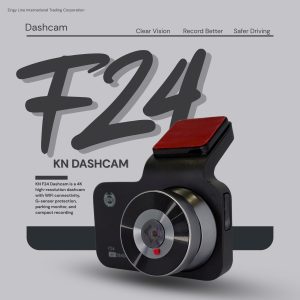
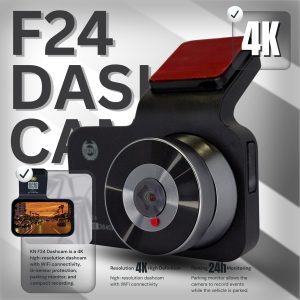
The F25 Dashcam records in 4K front resolution with 1080P rear camera, providing clear dual-channel recording for better driving security. It features WiFi connectivity, G-Sensor emergency recording, time-lapse parking monitoring, voice control, and loop recording for reliable everyday protection.
📹 Overview
The F25 4K + 1080P Dashcam is a dual-camera recording system designed to capture both the front road view and rear vehicle view simultaneously.
With 4K front recording, Full HD rear camera, WiFi connectivity, G-Sensor detection, and parking monitoring, the dashcam ensures that important driving events are recorded clearly.
The compact design and intuitive button controls make it easy to operate while providing strong security for your vehicle.
🎥 Video Recording
The F25 dashcam supports multiple recording modes to balance video quality and storage capacity.
Resolution Options
• 4K + 1080P
• 2K + 1080P
• 1080P + 1080P
Dual-channel recording captures events happening in front and behind the vehicle at the same time.
🔄 Loop Recording
Loop recording automatically overwrites older videos when the memory card is full.
Loop duration options:
• 1 Minute
• 3 Minutes
• 5 Minutes
Important files protected by the G-Sensor emergency lock will not be overwritten.
🚗 Parking Monitoring & Time-Lapse
The F25 supports parking monitoring to help protect your vehicle when parked.
Parking Monitor
• On
• Off
Time-Lapse Recording
• 1 FPS
• 2 FPS
• 5 FPS
Time-Lapse Duration
• 8 Hours
• 16 Hours
• 24 Hours
(Time-lapse recording requires a hardwire kit for constant power supply.)
📱 WiFi & Mobile App
The dashcam includes built-in WiFi connectivity allowing connection to a smartphone application.
Using the mobile app you can:
✔ View live camera footage
✔ Download videos
✔ Adjust camera settings
✔ Access recordings easily
The camera also includes a QR code for fast app installation.
⚙️ Camera Settings & Controls
Language Options
• English
• Spanish
• Chinese
G-Sensor Sensitivity
• Off
• Low
• Medium
• High
Screen Settings
• Screen Brightness:
-
120
-
100
-
80
-
60
• Screen Auto Sleep
Audio Settings
• Audio Recording: On / Off
• Button Sound: On / Off
• Voice Control
Image Adjustment
• Exposure Compensation
• White Balance
Anti-Flicker Settings
• 50Hz
• 60Hz
Power Settings
• Auto Power Off:
-
1 Minute
-
3 Minutes
-
5 Minutes
System Settings
• Time Settings
• Format Memory Card
• Restore Default Settings
🔌 Dashcam Ports
The F25 dashcam includes the following ports and interfaces:
• Rear Camera Port
• Mount Interface
• Type-C Power Port
• TF Card Slot
• Reset Button
• Microphone
💡 Indicator Lights
Red Light – Charging indicator
• Light OFF when fully charged
Blue Light – Recording indicator
Yellow Icon – Emergency locked video file
📏 Product Dimensions
Dashcam Size:
Length: 90 mm
Width: 32 mm
Height: 50 mm
Screen Display Size:
35 mm × 65 mm
📦 What’s Included
• F25 Dashcam Main Unit
• Rear Camera
• Power Cable
• Mount Bracket
• Installation Accessories
• User Manual
🔧 Installation Guide
Step 1 – Install Electrostatic Film
-
Clean the windshield using wipes.
-
Peel off the protective film marked in red.
-
Apply the electrostatic film to the windshield.
Step 2 – Install Mount Bracket
You may choose between:
• Suction Mount
• 3M Sticky Mount
Suction Mount Installation
-
Attach suction mount to electrostatic film.
-
Rotate and lock the suction tightly.
3M Adhesive Mount Installation
-
Remove adhesive cover.
-
Press bracket firmly onto the electrostatic film.
⚙️ TECHNICAL SPECIFICATIONS
| Feature | Details |
|---|---|
| Model | F25 Dashcam |
| Front Resolution | 4K |
| Rear Resolution | 1080P |
| Recording Type | Dual Channel |
| WiFi | Yes |
| G-Sensor | Yes |
| Loop Recording | Yes |
| Parking Monitor | Supported |
| Time-Lapse Recording | Yes |
| Display | Built-in Screen |
❓ Frequently Asked Questions
Why does the dashcam show “SD Card Error”?
Possible solutions:
-
Format the memory card in the dashcam.
-
Press the reset button to restart the device.
If the issue continues, contact after-sales support.
Why does the dashcam say “SD Card Full”?
This usually happens when many videos are locked by the G-Sensor.
Solution:
Format the memory card or delete locked files.
Why does the suction mount keep falling?
Possible reasons:
• Windshield is not clean
• Suction film was removed
• Suction mount not fully locked
• Silicone suction material may wear out over time
Clean the windshield and reinstall the mount properly.
Why does the dashcam keep turning on and off?
Possible reasons:
• Loose cigarette lighter connection
• Dirt inside the cigarette socket
• Too many locked videos preventing loop overwrite
Solutions:
• Check power connection
• Format the SD card
• Turn off parking monitor if constant vibration is detected
Why does time-lapse recording need a hardwire kit?
Time-lapse recording requires constant power from the vehicle battery, which is provided through a hardwire kit connected directly to the battery.
| Weight | 0.5 kg |
|---|---|
| Dimensions | 20 × 15 × 7 cm |
Related products
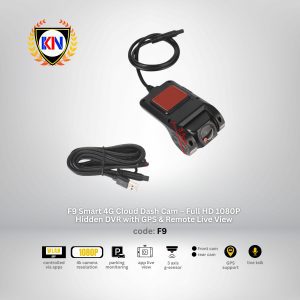
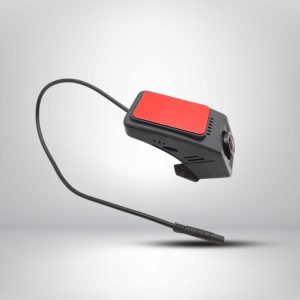
F9 Smart 4G Cloud Dash Cam – Full HD 1080P Hidden DVR with GPS & Remote Live View
- Network: 4G LTE Supported (Requires Smart/Active SIM)
- Resolution: Full HD 1080P Front + Rear Recording
- Special Feature: Remote Live View & GPS Tracking
- Compatibility: Universal 12V/24V (Includes Hardwire Kit)



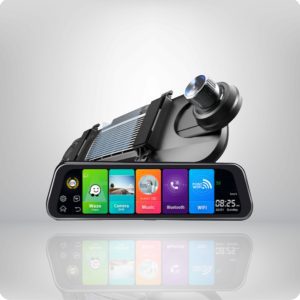
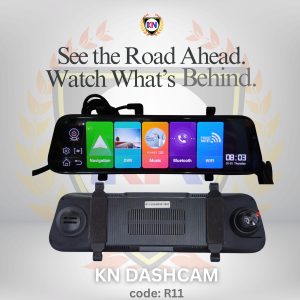
R11 Android 4G Smart Mirror Dashcam with Rear Camera & GPS
Upgrade your vehicle with the R11 Android Smart Mirror Dashcam featuring 4G internet support, GPS tracking, WiFi connectivity, parking monitoring, and dual camera recording. Equipped with a 10” touch screen display and FREE 64GB memory card, this all-in-one smart dashcam delivers total road security and entertainment on the go.
Reviews
There are no reviews yet.